Readout
At a Glance
Bench fit
Best For
Bench fit notes
Working distance and field of view
- Working distance
- 25 mm
- Field of view
- Portable close inspection
These two specs matter more than headline magnification for soldering, inspection, and manipulation work.
Lighting and stand behavior
- Illumination
- Built-in LED
- Stand stability
- Hand-braced; not for sustained bench work
Glare control and wobble usually decide whether a scope feels precise after the first week.
Overview
The short version
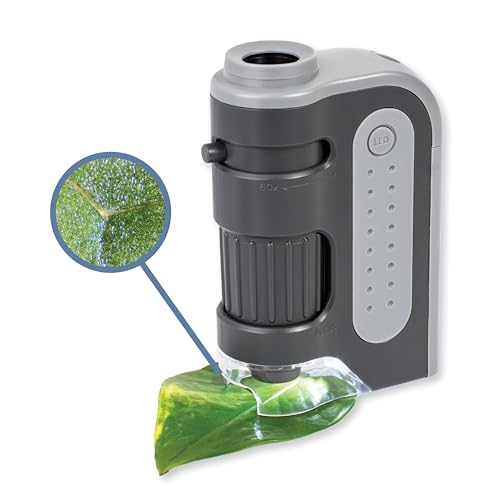
The Celestron 5MP Handheld Digital Microscope Pro is the scope you buy when the magnification needs to come to the specimen instead of the specimen going to the magnification. Coin grading on the showroom table, mineral inspection at a rock and gem show, watch case examination at an antique mall, fabric authentication in someone else's living room — none of those work with a benchtop microscope. They work with a 150-gram handheld scope that fits in a pocket and runs off a USB cable to a phone or laptop.
Celestron's positioning is honest: this is a 20x–200x inspection tool, not a 1000x biology microscope. The magnification range is deliberately chosen to cover what most field-use cases actually need. At 20x you can identify mint marks on a coin and spot die varieties. At 50x you can read the makers' marks on hallmarked silver. At 100x you can examine the crystal faces on a small mineral specimen and judge inclusion patterns. At 200x you're at the limit of what's practical handheld — even slight hand shake makes the image unstable above this — but you've covered the range that 95% of portable inspection work needs.
The scope's quiet superpower is the 5MP sensor. Most handheld scopes at this price (the Plugable USB 2.0 Microscope, the Jiusion 40x–1000x, the AmScope Digital Handheld) ship with 2MP or worse sensors. The Celestron's 5MP delivers genuinely clean still images at 50x–150x — sharp enough to document a coin grade, a mineral identification, or a watch movement for record-keeping or insurance purposes. Image quality is the reason this scope shows up in numismatic and gemological forums constantly.
Balance sheet
Pros and Cons
Pros
05- Handheld form factor — take it to rock shows, antique markets, or the field
- 20x–200x range is ideal for mineral and coin inspection
- 5MP camera produces clean, bright images for documentation
- Built-in LED illumination works without external power source
- Lightweight at 150g — pockets easily
Cons
04- No built-in screen — requires phone or laptop via included USB cable
- Requires MicroLink software for full feature set; Mac support is limited
- Not suitable for bench use — no adjustable stand included
- Battery compartment lid is fragile on older units
Why Handheld Microscopy Is a Different Category Entirely
The handheld USB microscope is a fundamentally different tool from a benchtop scope, and trying to compare them on magnification numbers misses the point. A benchtop scope sits on a stand, accepts a slide on a stage, and provides stable optics through a long working session. A handheld scope is a portable inspection instrument — you bring it to a coin in someone's display case, a mineral on a show table, or a watch on your wrist.
The ergonomics are completely different. With a handheld scope you're holding the scope steady with one hand while bracing against the specimen, looking at the live feed on a phone or laptop screen. The magnification range is constrained not by optics but by what's stable at arm's length — past about 200x, normal hand tremor makes the image jump too much to be useful. This is why Celestron and other serious handheld vendors deliberately cap the optical range at 200x, while cheaper Amazon scopes inflate the specs to 1000x with digital zoom that nobody uses.
The lighting is different too. Built-in LEDs at the lens face are the only option — you can't put a ring light on the specimen in someone else's display case, and you can't reposition the room lighting at a rock show. The Celestron's white LEDs are adequate for most subjects but can wash out reflective surfaces (polished coins, faceted gems, mirror-finish watch movements). For shiny subjects you'll learn to angle the scope slightly off-axis to throw the specular reflection out of the field of view.
The form factor implies the workflow. Quick inspection, capture, move on. Sustained 30-minute sessions of detailed examination are not what handheld scopes are for. If that's your use case you want a benchtop scope; the form factor mismatch will cause hand fatigue and frustration within a half-hour.
Coin Inspection and Numismatic Use
The Celestron Handheld Pro has earned a reputation in coin-collecting circles as one of the best portable scopes for varietal identification and condition grading under $100. The use case is precise: at coin shows, estate sales, and dealer tables, you need to verify mint marks, die varieties, scratches, cleaning marks, and counterstamp legitimacy in real time before deciding whether to bid or buy. A high-magnification benchtop scope at home is no help — the decision has to happen at the table.
At 20x–50x the Celestron resolves the details that drive condition grades: small contact marks, wear on high points, die polish lines, mint luster character. The 5MP sensor captures enough detail that you can take a still image, blow it up on a phone screen, and confidently judge whether a coin is closer to MS-63 or MS-65 (a grade difference that can be hundreds of dollars). At 100x–150x you can see die varieties — overdate marks, repunched mint marks, doubled die features — that distinguish ordinary coins from valuable variants worth multiples of the base type.
For counterfeit detection, the 100x–200x range reveals the tooling marks, casting porosity, and edge characteristics that distinguish struck coins from cast counterfeits. The Celestron is widely used by collectors checking suspect Morgan dollars, Trade dollars, and Bust half dollars at shows where high-value purchases happen on incomplete information.
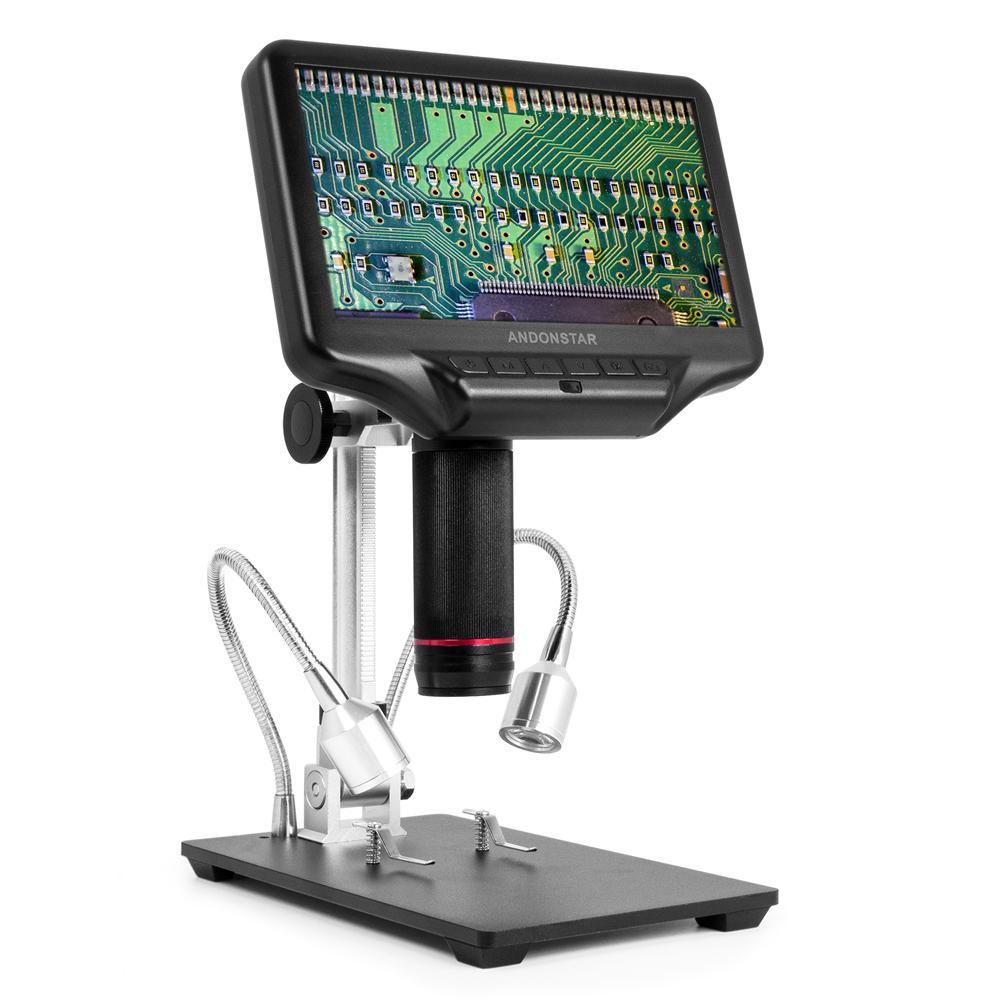
The genuine limitation: the Celestron requires a phone or laptop for the live feed. At a coin show you're holding the scope in one hand, the coin in the other, and looking at your phone propped on the table. This works fine in practice but takes a session or two to get used to. Buyers who want a self-contained scope with a built-in screen for showroom use should look at the Carson MicroBrite Plus or the Andonstar ADSM301 instead.
Mineral, Gemological, and Geological Inspection
Field geology and mineral collecting are the second major use case where the Celestron Handheld Pro genuinely excels. You're inspecting specimens on a show table, in a quarry, on a field trip, or in a dealer's stock drawer — none of which accommodate a benchtop scope. The 20x–200x range is well-matched to what mineral hobbyists need: crystal face character at 20x–50x, inclusion identification at 50x–100x, surface chemistry features (etch patterns, growth striations, twinning planes) at 100x–200x.
The 5MP sensor produces clean enough images to document specimens for collection records, online sales, or identification forum posts. Many mineral collectors use the Celestron to build their own catalogs — capturing standardized images of each specimen at 50x for their reference database. The image quality is sufficient that the photos are useful for actual mineral identification work, not just decorative cataloging.
For gemstone inspection (loose gems, faceted stones, cabochons) the Celestron handles inclusion mapping at 50x–150x and can identify some characteristic inclusions (rutile needles in sapphire, gas bubbles in glass imitations, silk in natural ruby). For high-value gemological work you eventually want a real loupe-and-microscope combination (a 10x loupe for first-pass screening, then a binocular gemological microscope with dark-field illumination for serious examination), but the Celestron is a useful intermediate tool for serious hobbyist gem collectors.
Micromounts and micromineral collectors specifically should look at this scope. The 200x ceiling is exactly the range where micromount detail lives, and the portable form factor means you can examine a specimen in its mount without removing it for benchtop microscopy.
Software, Phone Compatibility, and Image Quality Workflow
Celestron's MicroCapture Pro software (Windows-only, included on a CD-ROM that nobody uses) is the official capture tool and it's adequate. The interface is dated but functional — live view, still capture, video recording, basic measurement tools, scale-bar overlay if you do a one-time calibration. Most users skip the disk and download the latest version from Celestron's website.
The Celestron Handheld Pro also presents as a UVC webcam, which means cross-platform compatibility for the live feed: OBS Studio on Windows/macOS/Linux, Photo Booth on macOS, the Windows Camera app, and any other webcam-aware software all see the scope as a video device. This is the better workflow for most users. The MicroCapture Pro software has more features but the UVC path is more reliable and lets you use modern capture software.
Mobile use is where buyers most often run into trouble. The scope is USB-A native, so connecting to a modern iPhone or Android phone requires an adapter: USB-A to Lightning, USB-A to USB-C, or USB-A to USB-C with an OTG cable depending on your phone. The adapters work but they're another piece of cable spaghetti, and Celestron doesn't ship them. Plan to spend $15–$25 on appropriate adapters before your first field trip.
On iOS specifically, you'll need a third-party app to receive the UVC video stream — Apple doesn't expose USB video to the Camera app or Photo Booth equivalents on iOS. The 'Camo' app or 'USB Camera' app work; budget another $10 for a one-time app purchase if iPhone is your primary capture target. On Android the situation is better — most USB-C Android phones can use the stock camera app or the free 'USB Camera' app from Shenyaocn to capture video from UVC scopes directly.
Hand Stability and Measurement Limits
The Handheld Pro is strongest as a portable documentation tool, not a calibrated grading instrument. Brace the scope against the table, coin holder, specimen box, or your other hand whenever possible. Above roughly 100x, normal hand movement becomes the limiting factor before the sensor does.
If you use the software measurement tools, recalibrate after every zoom or distance change. A handheld microscope changes scale constantly because the lens-to-subject distance changes as you brace the tool. That is fine for documenting a mint mark, inclusion, or scratch pattern, but it is not the same as a fixed stand with a calibrated stage.
The Right Buyer (and the Wrong One) for the Celestron Handheld Pro
Buy the Celestron Handheld Pro if you're a coin collector who needs to inspect at shows or estate sales, a mineral or gem collector who works in the field or at shows, a watch collector who needs to verify hallmarks and movement details on watches in person, a fabric and textile authenticator, a stamp collector who needs portable magnification for grading, or anyone whose primary use case involves bringing magnification to the subject instead of the subject to the magnification. For all of these use cases the scope is well-targeted and reasonably priced.
Don't buy it as a primary microscope for benchtop work. The lack of a stand and the dependence on a phone or laptop screen make it uncomfortable for sustained sessions. The AmScope ME300 (reviewed elsewhere in this lineup) or the Andonstar AD407 are the right tools for benchtop work.
Don't buy it for electronics repair or PCB inspection. The 25mm working distance is too short for soldering, and the lack of a stable mounted position means you can't keep both hands free for tools. The Andonstar AD407 with its 120mm working distance and built-in screen is the proper tool for that use case.
Don't buy it as a serious biological microscope. The 20x–200x range stops well short of where biology happens (cellular detail needs 400x+, microbial detail needs 1000x). For biology, the AmScope ME300 at $49 outperforms the Celestron for that specific use case despite costing less.
The Celestron Handheld Pro is a specialist tool. In the use case it was designed for, it's the best $89 you can spend on portable microscopy. Outside that use case, the price is wasted on capability you won't use.
Verdict
Our Verdict
The Celestron Handheld Pro is the right tool for mineral collectors, coin graders, and anyone who needs microscopy on the go. It's not a bench scope — the lack of stand makes sustained bench work awkward. But for portable inspection at 20x–200x, nothing in this price range competes.
Full readout
| Full Specifications | |
|---|---|
| Working Distance | 25mm |
| Illumination | Built-in LED |
| Stand / Mount | Handheld |
| Stand Stability | Hand-braced; not for sustained bench work |
| Magnification | 20x–200x |
| Field of View | Portable close inspection |
| Camera Resolution | 5MP |
| Frame Rate | 30fps |
| Screen Size | Nonein |
| Connection | USB-A |
| Built-in Screen | No |
| Camera Included | Yes |
| Calibration Support | Software calibration after zoom changes |
| Mount Thread | — |
| LED Count | — |
| Brightness Control | — |
| Color Temperature | — |
| Power | — |
| Stand Included | No |
| Weight | 0.15kg |
Buying call
Celestron 5 MP Handheld Digital Microscope Pro
Best if you need 25 mm working distance with Built-in LED for mineral inspection.
Prices may change · Check current Amazon listing before buying
FAQ
Frequently Asked Questions
Will the Celestron Handheld Pro work with an iPhone?
Is the Celestron Handheld Pro good for coin grading and varietal identification?
Celestron Handheld Pro vs Carson MicroBrite Plus: which one for field use?
Can the Celestron Handheld Pro be used for skin or medical inspection?
Go deeper
Related Buying Guides
Bench comparison
Compare With Similar Microscopes
Versus